Welcome to the world of social media, where Instagram has a billion-strong user base. It’s more than just a photo-sharing app these days; businesses, content creators, and marketers alike are harnessing its potential to grow their brands and connect with audiences.
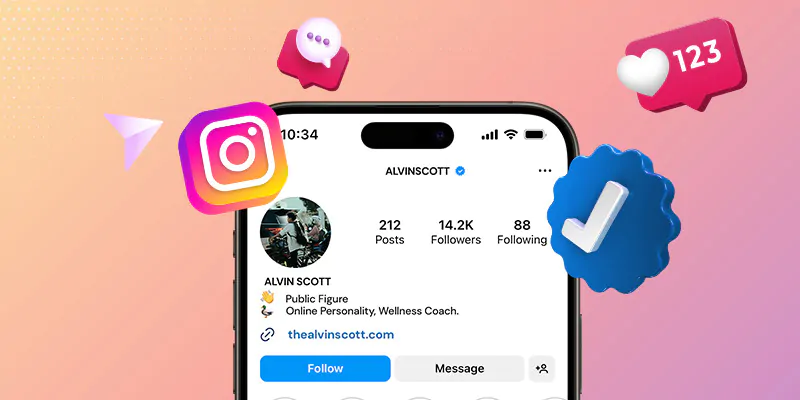
But to truly stand out from the crowd, you need something more than great content: the Instagram verified badge (also known as the verification badge or blue badge). This small blue checkmark next to your name signals authenticity; it tells users that your account is the official presence of a notable brand, public figure, or creator.
Why does this matter? Because in a crowded digital space, trust is everything. The blue badge instantly boosts credibility, helps prevent impersonation, and can increase engagement by making users more confident in interacting with your content. Whether you’re building a personal brand or scaling a business, verification can give you a powerful edge.
Getting the Blue Checkmark on Instagram: Benefits
According to data, the vast majority of high-profile Instagram accounts have that coveted blue checkmark. As your profile grows and you begin to compete with other users, getting verified is one way to set yourself apart.
Verified accounts are generally considered to be more trustworthy and have an average engagement rate that’s 30% higher than that of unverified accounts.
When an account is confirmed, the Instagram verified sticker (or blue checkmark) appears next to the account name, in search results, and when the account owner leaves comments on other posts. The mark serves one simple purpose: to indicate that the user is an official profile. This helps prevent impersonation, which is why verification is typically reserved for celebrities, public figures, and major brands.
Moreover, social media marketing offers verification checks for accounts that represent well-known brands and influencers, where there’s a high likelihood of impersonation. This helps ensure that users are interacting with legitimate brands and people that they want to follow.
In August 2018, Instagram began allowing users to request verification. For those who receive the sticker, it means that their accounts have undergone a series of manual verification checks by Instagram itself.
As well, the benefits of Instagram verification are significant. If you or your brand is at risk of being misrepresented, you should request verification as soon as possible. Here are some of the advantages of having the Instagram verification:
1- It helps showcase the exclusivity of your brand.
2- It’s an easy way to increase brand awareness and grow your follower count.
3- It protects your brand and its reputation from impostors.
4- It upturns trust between your brand and your followers.
5- Brands prefer to work with influencers or marketers with verified accounts.
6- The blue checkmark also makes it easier for users to find your brand on social media.
7- Your account will usually appear at the top of the search results when someone is looking for your brand.
Indeed, verified accounts get early access to special features, such as the “swipe up” feature on Instagram stories, which requires a brand to have at least 10,000 followers to use.
Verified on Instagram: How to join the exclusive club
While the application process for Instagram verification is straightforward, meeting the eligibility requirements and actually getting approved can be challenging.
Instagram requires that your account be authentic, unique, complete, and notable, as well as complying with the community guidelines and terms of use. To be true, you must be a genuine person, public figure, or registered business, which requires official documents and ID to be submitted. To be unique, you cannot have multiple accounts for the same individual or business, and general interest or fan accounts cannot be verified.
Plus, being notable means that your account is that of a well-known and highly searched-for person or brand, and Instagram reviews accounts that are featured in multiple news sources but not paid or promotional content. However, you do not need to have a certain number of followers to be verified badge. Applying for verification involves three steps: starting your request, adding your business details, and submitting your application. You will typically receive notification of the outcome of your request within 30 days.
There are some tips that can help increase your chances of obtaining a verified Instagram account. These include not buying a badge or followers, following the community guidelines, getting real followers, completing your profile, and seeking publicity. It is important to focus on organic growth, such as through the use of the right hashtags, publishing a mix of Instagram Stories, Reels, and feed posts, running giveaways, encouraging user-generated content, curating your profile grid, and creating shareable content.
A complete profile, including a concise and punchy bio, a strong profile photo, an external link, and well-designed Story Highlights, is essential for a verified account. Verified accounts’ bios highlight essential information about the business, offer a way for users to get in touch, showcase the brand’s personality, and establish an exclusive voice.
Keep in mind that to accomplish good things, we must not only dream or plan, but believe!
Instagram Verification Rejected? Two Steps to Take Now
If you’ve followed all the verification tips but still haven’t been able to obtain the highly sought-after blue checkmark, there’s no need to lose hope. There are still several steps you can take to address the situation.
First, double-check the four main requirements: authentic, unique, complete, and notable. Ensure you have the appropriate business documents, delete any old accounts, compare your profile completeness to verified profiles, and do a Google search of your brand.
Second, if your application gets rejected, wait 30 days before applying again. Use this time to implement the verification tips above and increase your chances.
If all else fails, there are still ways to show authenticity on Instagram. Link your account to your official website and other social media channels, or create behind-the-scenes videos to build trust and followers.
Remember, a blue checkmark isn’t the only path to success on Instagram!
Finally, the blue checkmark on Instagram can be a game-changer, but don’t despair if you can’t nab it. A solid content strategy, engagement with your audience, and some help from Instagram’s best tools can still take you far. Use this guide to increase your chances of getting verified and unlocking a world of perks.
As Post Malone, the American rapper, said: “You don’t have to be perfect, just keep it real”.
Q1. What is the Instagram blue checkmark and what does it mean?
The Instagram blue checkmark is a verified badge that appears next to an account’s name in search results and on the profile page. It confirms that the account is the authentic presence of the public figure, brand, or creator it represents. The Instagram blue checkmark is not an endorsement by Instagram, it simply signals that the account is genuine and not an impersonator.
Q2. How do you get a blue checkmark on Instagram?
There are two ways to get a blue checkmark on Instagram. The first is the free, notability-based route, you apply through Instagram’s settings under “Account > Request Verification,” submit a government-issued ID, and demonstrate that your account is authentic, unique, complete, and notable. The second is Meta Verified, a paid monthly subscription open to creators and businesses who pass an identity check with a government ID. To get a blue checkmark on Instagram through either route, your account must be active, public, and must not have a history of policy violations.
Q3. Does being verified on Instagram help engagement?
Yes, does being verified on instagram help engagement is one of the most common questions, and the data supports it. Verified accounts see an average of 30% higher engagement than unverified accounts with similar follower counts.
Q4. Who is eligible to apply for Instagram verification?
Instagram’s free verification is intended for public figures, celebrities, global brands, and notable creators where there is a high risk of impersonation. Your account must meet four criteria: it must be authentic (represents a real person or business), unique (one account per person or business), complete (public profile, bio, profile photo, and at least one post), and notable (featured in multiple credible news sources, paid or promotional content does not count). Meta Verified has a lower bar: you simply need a valid government ID that matches your profile name and photo.
Q5. How long does it take to get the Instagram blue checkmark after applying?
After submitting a free verification request, Instagram typically responds within a few days to a few weeks. For Meta Verified subscribers, the instagram blue checkmark usually appears on the profile within 48 hours of identity confirmation. If your free application is rejected, you must wait 30 days before applying again. Instagram does not reveal the exact review timeline, so it is best to apply when your profile is fully built out and you have strong press coverage to support your case.